ScholarDesk

ScholarDesk/Features/Semester reports

How the semester went, in their words

Each request comes with a short report on the session, so the fund follows the student and not only the invoice.

One click, no account. Open the coordinator desk or a student file; the data is fictional and nothing you change is kept.

Semester reportsscholardesk.techma.ai
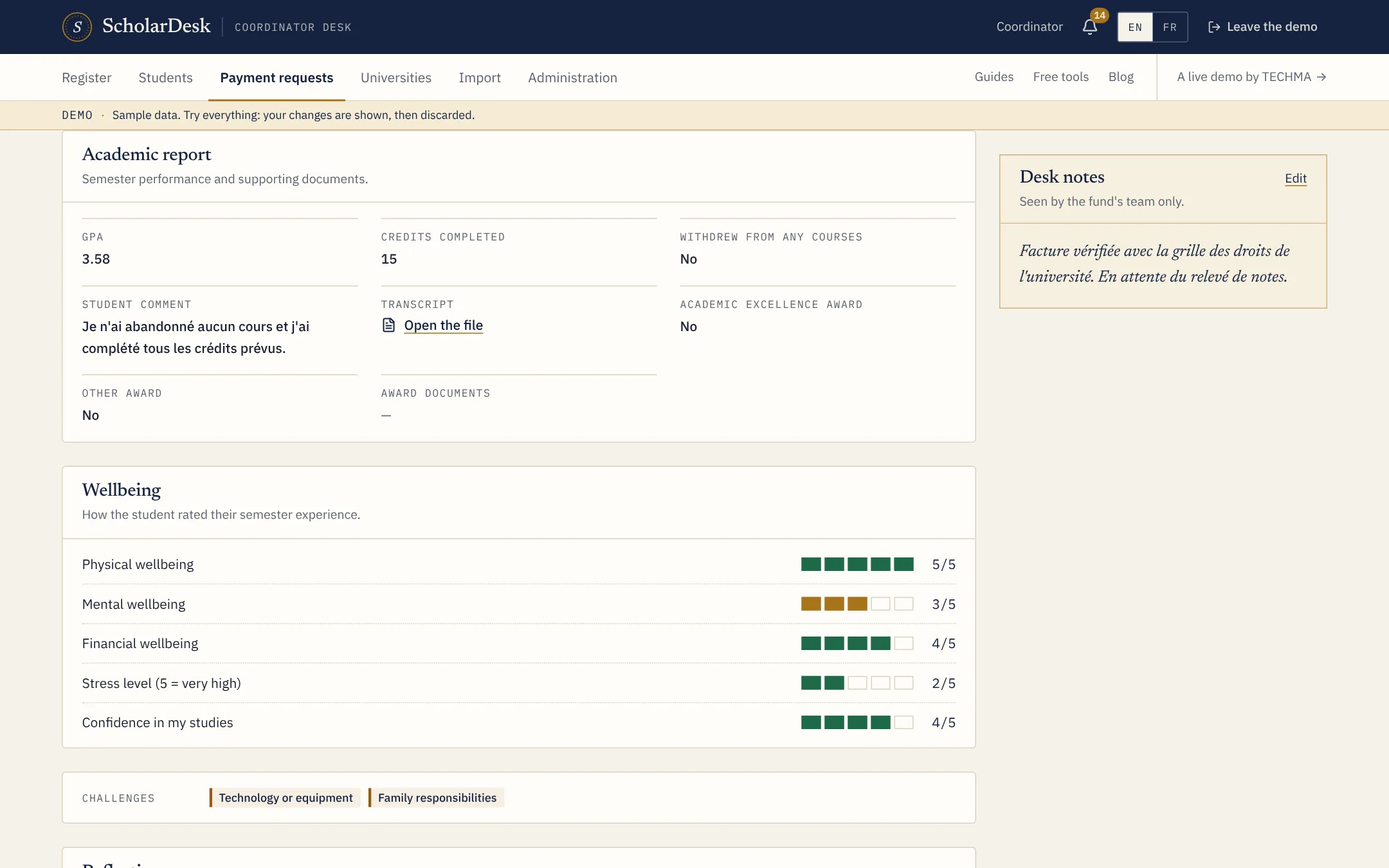
A semester report in ScholarDesk with average, credits, wellbeing ratings and reflections

What the report asks

  • Studies. The session average, credits passed, any dropped course and the transcript.
  • Distinctions. An honour list or another award, with the document.
  • Wellbeing. Five ratings from 1 to 5: physical, mental and financial wellbeing, stress and confidence in their studies.
  • Difficulties. What is hard right now, chosen from a list: money, family, housing, transport, health, technology.
  • Activities and reflections. Community work, a part-time job, and three short written answers.

Read next to the request

The coordinator reads the report on the same page as the invoice. Ratings are drawn as bars, so a student who rates their stress at 5 stands out without anyone reading every line.

An alert when an average drops

When a report comes in with an average under the threshold set by the program (3.0 in the demo), the desk is alerted. It is a prompt to call the student, not a decision made by the software.

Terms used on this page

Transcript

Questions

Asked before the first call

Can we change the questions?

The demo shows one report. The questions, scales and documents are among the first things adapted in a custom version.

Is the report mandatory?

In the demo it is the third part of every request. A fund can decide to ask for it once per semester only.

Live demo

Judge it on what it does.

ScholarDesk is a working application, not a mock-up. Open the coordinator desk, approve a request, record a payment, then switch to a student file and send one yourself.