ScholarDesk

ScholarDesk/Features/The register

Where every request stands today

The coordinator's home page answers the morning's questions before they are asked: what to review, what to pay and to whom.

One click, no account. Open the coordinator desk or a student file; the data is fictional and nothing you change is kept.

The registerscholardesk.techma.ai
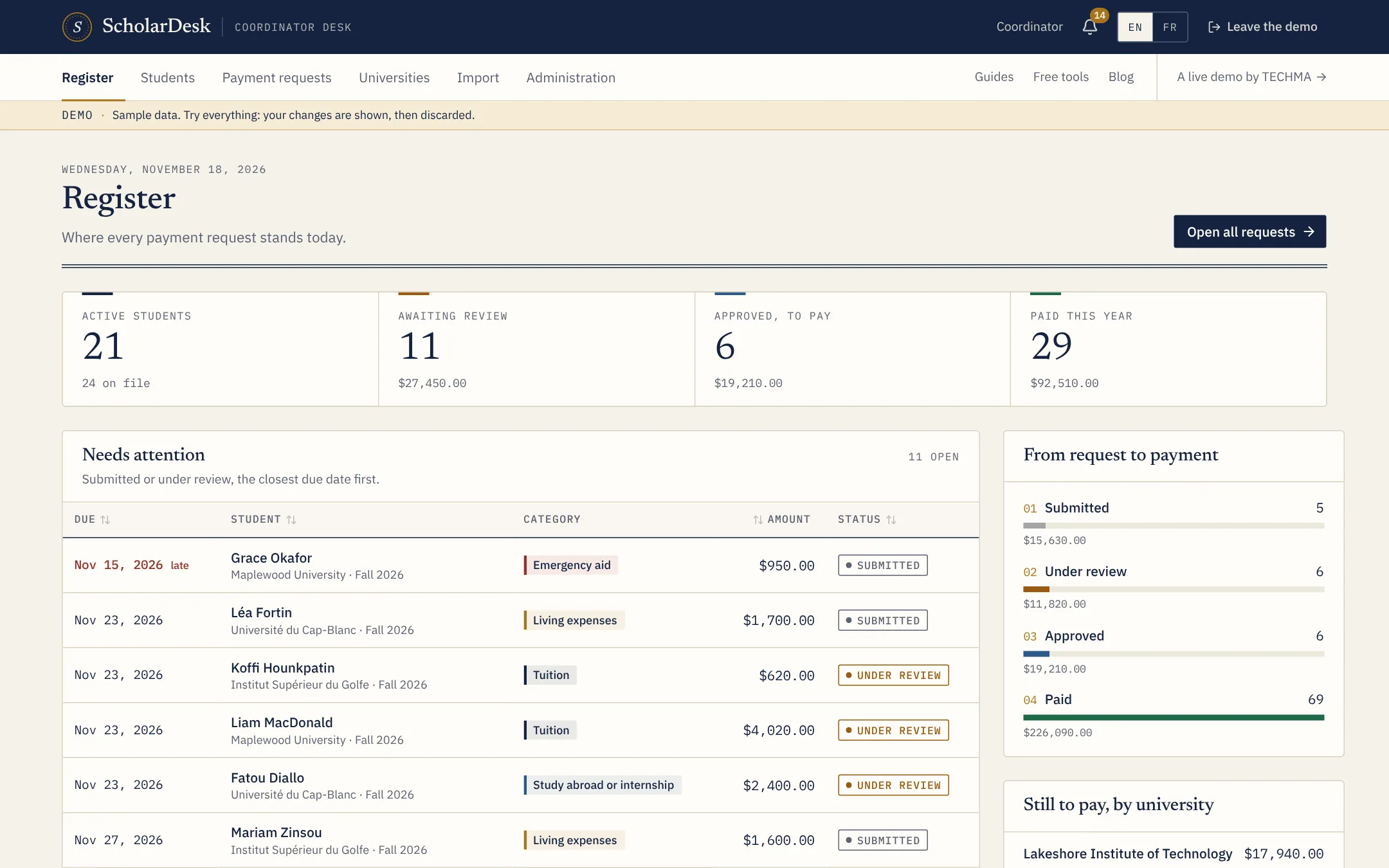
The register of ScholarDesk with the four totals, the requests to handle and the amounts by university

Four totals

  • Active students, out of all the files.
  • Awaiting review, in number and in amount.
  • Approved, to pay, the size of the next payment run.
  • Paid this year, in number and in amount.

To handle, by due date

Requests that are sent or in review are listed with the nearest due date first. One click opens the request.

From request to payment

A second panel shows how many requests and how much money sit at each of the four steps, and what is left to pay for each university.

Questions

Asked before the first call

Can the figures be exported for a board report?

The lists behind each figure export to Excel or CSV. A formatted board report is a common custom addition.

Live demo

Judge it on what it does.

ScholarDesk is a working application, not a mock-up. Open the coordinator desk, approve a request, record a payment, then switch to a student file and send one yourself.