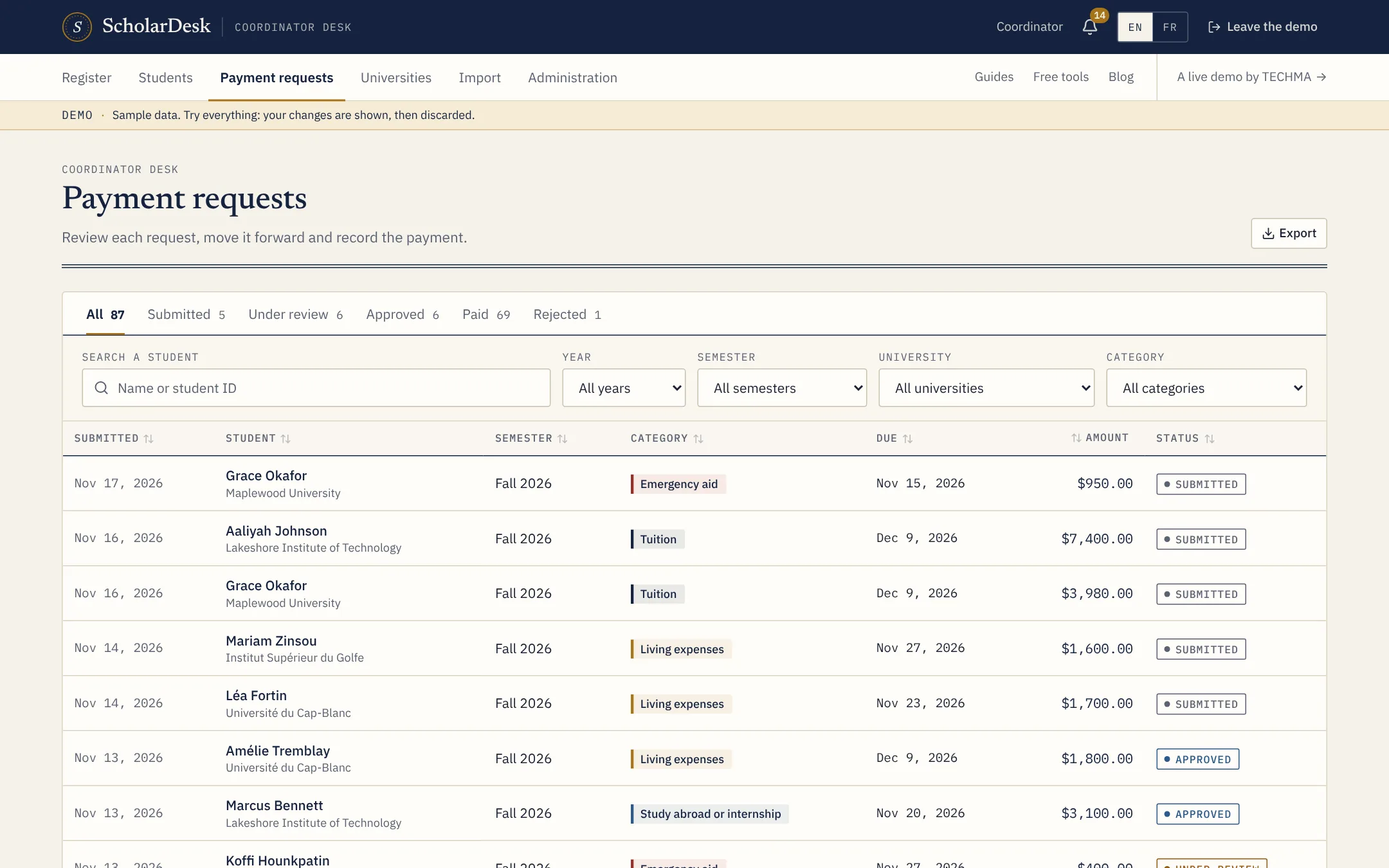
One list instead of an inbox
The payment requests page shows everything students have sent. Each line carries the student, the university, the semester, the type of request, the amount, the due date and the status.
Filter by status to see what waits for review, by type to see only emergency aid, by university or by period. Sort by due date and the most urgent request is at the top.
Four types of request
- Tuition. The session's invoice from the university.
- Living expenses. The allowance for rent, food and transport.
- Study abroad or internship. Travel, housing and placement costs.
- Emergency aid. An unplanned expense that puts the session at risk.
A student can send one request of each type per semester, which prevents duplicates without any checking by hand.
The totals that matter
Above the list, the register adds up what is in review, what is approved and waiting to be paid, and what has been paid this year. The same figures open the coordinator's home page.
Out to a spreadsheet when you need it
Any list can be exported to Excel or CSV, with the columns you choose. Related data, such as the payments of each request, goes on separate tabs.