ScholarDesk

ScholarDesk/Features/Student files

One file per scholar

Studies, contact, bank details and every request the student has sent, on one page that reads like a ledger.

One click, no account. Open the coordinator desk or a student file; the data is fictional and nothing you change is kept.

Student filesscholardesk.techma.ai
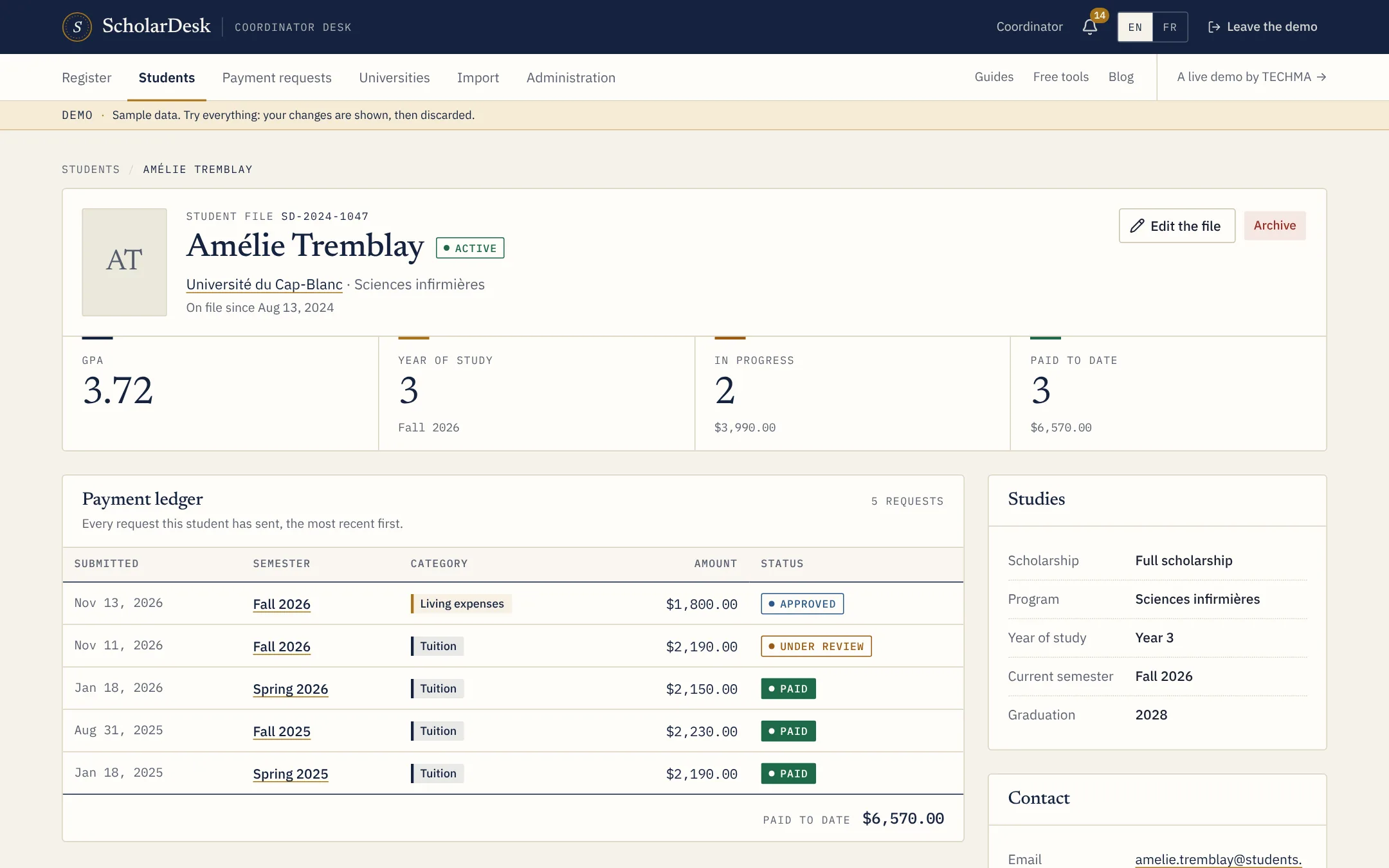
A student file in ScholarDesk with average, year of study, requests in progress and payments to date

What a file holds

  • Studies. University, program, year of study, current semester, expected graduation and average.
  • Scholarship. Tuition, living expenses or full scholarship.
  • Contact. E-mail and phone.
  • Bank details. Bank, account holder and account number, with a transfer identifier where it applies.
  • Status. Active, or no longer followed, so past scholars stay on file without crowding the lists.

The payment ledger

Under the summary, every request of the student is listed with its semester, type, amount and status, and the total paid to date. It answers the question a board member asks most: what has this student received so far?

A list that stays usable

The students page is searchable by name or student number and filters by university, scholarship type and status. New students are added one at a time or imported from a spreadsheet.

Terms used on this page

Full scholarshipSemesterTuition

Questions

Asked before the first call

Who can change a student's bank details?

The student, from their profile, and a coordinator, from the student file. In the demo the change is shown and then discarded.

Can we add our own fields?

The fields in the demo are fixed. Adding the ones your program tracks is part of a custom version.

Live demo

Judge it on what it does.

ScholarDesk is a working application, not a mock-up. Open the coordinator desk, approve a request, record a payment, then switch to a student file and send one yourself.